Once recorded, we handle the rest. Two segments, four pieces of content each, and most of it reusable between the two. Realistically under half an hour including a couple of practice takes.
2segments
4pieces each
~20–30 mintotal, all in
Tools you need
Tool
What it's for
Loom.com
Recording and sharing your videos
Voice Memos(iPhone) / Voice Recorder(Android)
Recording your voicenote
Important, downloading and sharing: Once each video is recorded, you need to download it from Loom and drop it into your upload folder below. Downloading requires Loom's Business plan, so start the free Business trial first. It costs nothing and gives you everything you need.
Before you record
What the video is trying to do
The goal is never to pitch Leafnotes directly. The goal is to get them curious enough to book the free review. That's where the real conversation happens, and the product sells itself once you're in it.
One thing that consistently works: acknowledge the oddness upfront. Something like "I know it's a bit random getting a video like this..." it signals human, it disarms, and it works.
The golden rules
Talk to one person, not a crowd. "You" not "people like you"
Don't open going straight into Leafnotes, open with their world
Don't try to explain the product in full, surface a problem and create curiosity
No scripts. Tone beats words every time, and you two know this space better than any script could
One CTA only, and it's offer-led: the free 30-minute AI in Social Care Review
Setup
Lighting: face a window or ring light. No backlighting.
Background: clean, plain, nothing distracting
Audio: quiet room, no background noise
Direct to camera only, no screenshare needed for any of these
Length guide
Main video: 60–90 seconds
Follow-ups: 30–45 seconds
Voicenote: 20–30 seconds
Practice takes: Record a couple of runs before going live with each one. Watch them back. You'll naturally drop filler words, face-touching, and nervous energy within a take or two. Don't skip this.
The main videos
Segments & scripts
Each segment gets its own main video, tailored to that audience. Tap to expand and see the talking points. Use them as a framework, then speak naturally - this is exactly the kind of conversation you two have every day.
Segment A
Supported Living
1 main video
Expand
The angle: Supported living is a huge, underserved market. Speak to the operational reality, teams stretched thin, and CQC evidence that's hard to compile after the fact.
A1Main video, direct to camera60–90 sec
01Open by acknowledging you're reaching out cold, keep it warm and disarming
02"One thing that comes up again and again with supported living providers is how much time the team loses to admin, case notes, incident forms, getting ready for an inspection. It's the stuff that pulls you away from the people you're actually there for"
03"What we've built at Leafnotes uses AI, Lola, to turn a quick voice note into a proper case note. What used to take 20–30 minutes a day comes down to about 5, and your CQC evidence builds itself as you go instead of getting pulled together in a panic before an inspection"
04Optional proof point: "we work with providers like Nugent and Resolve, and organisations of a similar size and shape, so we know this world"
The CTA · always close on this
Make the close offer-led: invite them to a free 30-minute AI in Social Care Review, no strings attached. For example, "if it's useful, I'd happily run a free 30-minute AI in Social Care Review for your team, just reply here and I'll set it up."
Segment B
Dementia Day Centres
1 main video
Expand
The angle: Person-centred recording is critical in dementia care and often poorly served by existing tools. Lead with dignity and outcomes, not admin.
B1Main video, direct to camera60–90 sec
01Open by acknowledging you're reaching out cold
02"Something we hear a lot from dementia day centres is that the person can get lost in their own paperwork, records that are more about ticking boxes than actually capturing how someone's doing"
03"Leafnotes uses Lola, our AI, to turn a quick voice note into a proper, person-centred record. It catches changes early, keeps things person-centred day to day, and takes the admin weight off your team"
04Optional proof point: "we've just launched with ME 2 U, a dementia day centre group, and it's exactly this kind of setting we built Leafnotes for. We also run the Fighting Dementia podcast if you want a feel for how we think about this space"
The CTA · always close on this
Same close, offer-led: the free 30-minute AI in Social Care Review. For example, "if this sounds familiar, I'd happily run a free 30-minute AI in Social Care Review for your team, just reply and I'll sort it."
Follow-ups & voicenote
Same script, both segments
Record each of these once per segment (so two takes of each, one for Supported Living and one for Dementia Day Centres). These are very similar and low-touch, so the wording below works as-is for both, but feel free to add something relevant to the specific segment if you'd prefer, it isn't required.
FU130–45 sec
Standard Follow-up
Direct to camera, soft, low-pressure. Sent to anyone who received the main video but hasn't replied.
01Keep it short and light: "Just checking you saw the video I sent over?"
02"No worries at all if not, just wanted to make sure it landed"
The CTA · always close on this
Gently re-extend the offer. "No pressure, but that free 30-minute AI in Social Care Review still stands, just reply whenever suits."
FU230–45 sec
Landing-page Follow-up
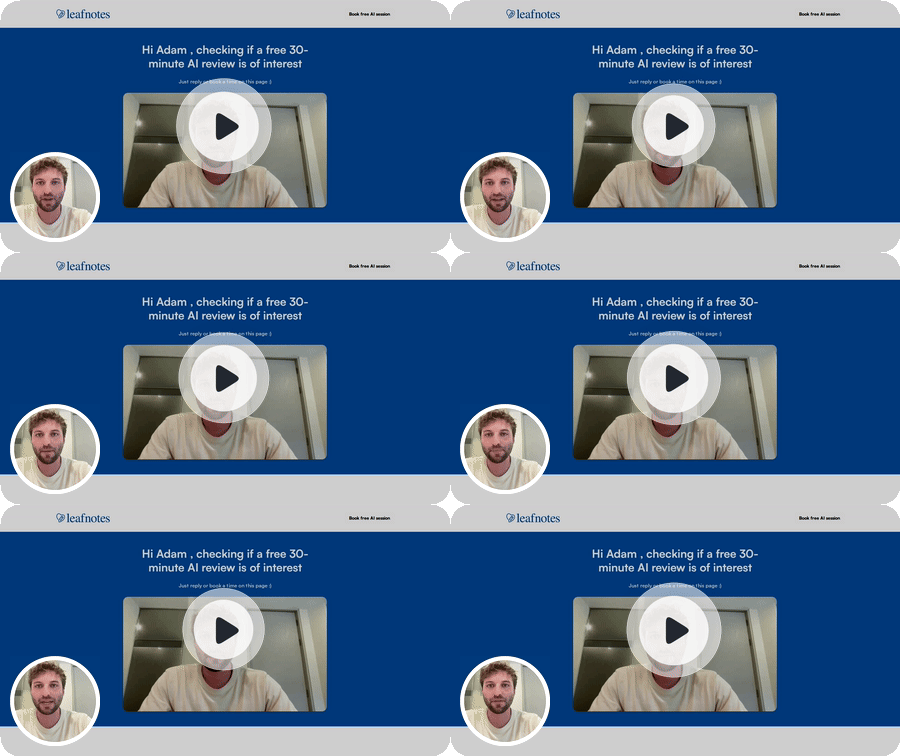
Direct to camera. Sent alongside a link to the landing page, see the preview below.
01Acknowledge they're looking at the page: "If you're seeing this, you've landed on our page, thanks for taking a look"
02"Feel free to click around, there's a bit more on how this works and a few of the providers we're already working with"
03Point at the CTA directly: "There's a button right here on the page if you fancy booking the free review directly, no need to reply to anything first"
The CTA · always close on this
Point straight at the page button. "Book your free review" is right there whenever they're ready, no reply needed.
VN120–30 sec
Voicenote
Sent via LinkedIn DM, plays directly, no link, no click-through.
01"Thought I'd record a quick voicenote to check in on the free 30-minute AI in Social Care Review"
02Optional: if a specific painpoint or example feels relevant to the segment, drop it in here, not required
The CTA · always close on this
Low-pressure reminder. "That free 30-minute AI in Social Care Review is still open whenever it's useful, just say the word."
Conversational, slightly informal. Like you're leaving a WhatsApp for a colleague, not presenting to a board.
What FU2 points to
The landing page
"Free 30-minute AI in Social Care Review" - the page your landing-page follow-up (FU2) sends people to. Worth a look before recording, so you know exactly what you're pointing them at.
Note: Example landing page below. These are changed for each recipient, and we can play around with it/tweak as we move forward on an ongoing basis. The live pages will be using Leafnotes domains.
Each of you records the full set, 4 pieces per segment, 8 in total. Work down your list, tick them off, and drop each file at the upload link. Once they're all in, we handle the rest.